
Getting Started
Things to do before coming to class on Wednesday, January 25th
- Click around and check things out on the class web site
- Read the Syllabus
- Check out the Resources page
- Attempt to install Python on your computer
- Attempt to install Visual Studio Code on your computer
Optional: Try running a Python program in Visual Studio Code
If the installs worked ok, give this a shot.
If you get stuck - don’t worry, we’ll go through it in class
- Open Visual Studio Code
- Create a new file with a
.pyextension, for examplehello.py
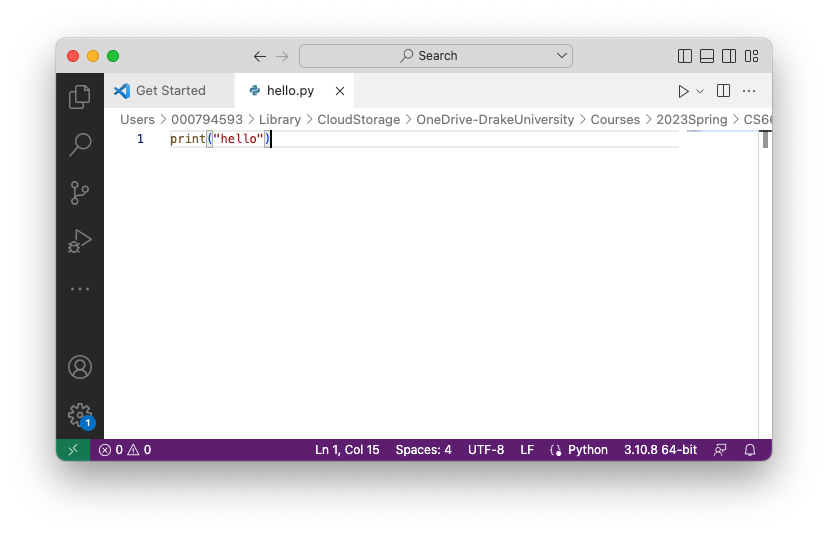
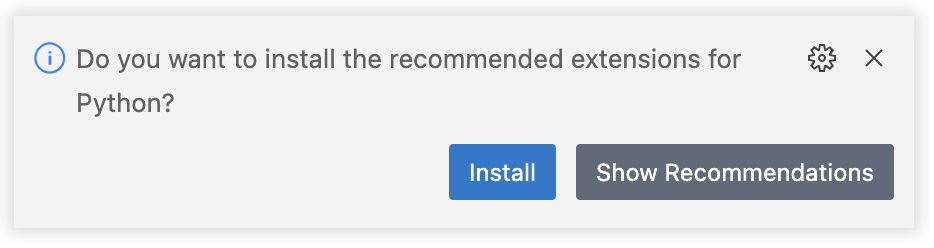
- it will probably ask you if you want to install some recommended Python extensions - go ahead and install them
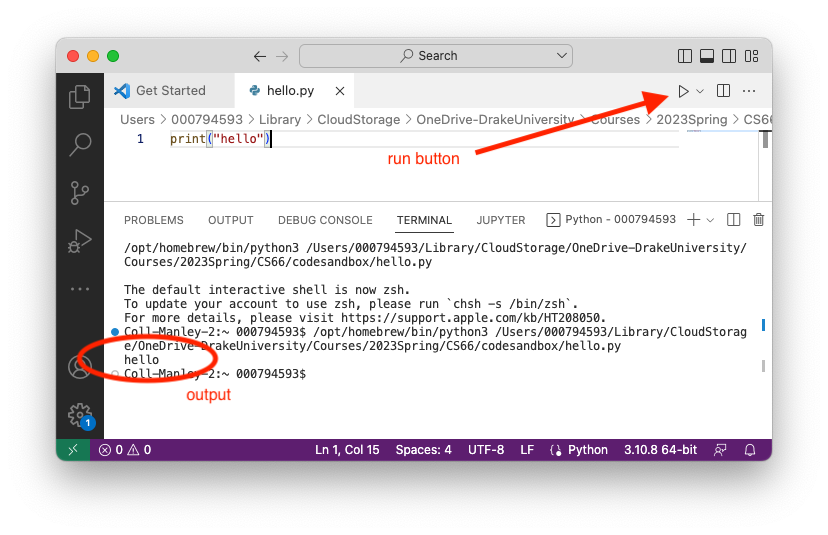
- Now you should be able to go back to your file, and there will be a run button.
- Press the run button and view your output in the terminal
If you’re feeling really adventurous
This will probably require more guidance, and we’ll do it in class, but if you want to poke around with some other tools we’ll use, check out the Resources page again
- Explore codespaces
- Explore codePost